

About This Course
Streaming & Content Creation with AI Tools
Live streaming is no longer just for gamers or influencers, it’s a powerful way for anyone to build a brand, grow a community, and create income. This course introduces you to the essentials of using AI tools to enhance your streaming setup, content delivery, and audience engagement across platforms like Twitch, YouTube, Instagram, and TikTok Live.
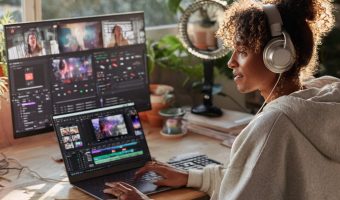
Throughout this course, you’ll explore how streamers use ChatGPT, OBS with AI plugins, Canva, OpusClip, and NeuvationCreares to improve production quality, automate highlight clips, and keep audiences engaged with smart tools. You’ll also discover how AI avatars, captions, and analytics help you stand out in a crowded streaming space.
You’ll Learn How to:
- Use AI assistants to help plan talking points, topics, and audience Q&A.
- Integrate AI-enhanced visuals, overlays, and captions into livestreams using OBS or mobile tools.
- Create post-stream content like reels and highlight clips with OpusClip and Runway.
- Improve your on-camera presence and viewer retention using real-time feedback and analytics.
You’ll complete guided activities powered by AI to help design your stream setup, write an intro script, and test smart engagement strategies. These exercises build your confidence in using AI as a creative partner in your streaming journey.
This Course Is Perfect For:
- Beginner streamers who want to look professional without expensive gear.
- Content creators building an audience through TikTok Live, YouTube, or Instagram.
- Freelancers who want to stream tutorials, coaching, or behind-the-scenes content.
- Gamers, educators, or musicians interested in growing their online presence using AI tools.
By the End of This Course, You’ll Be Able To:
- Use AI tools to enhance and simplify your livestream production workflow.
- Generate branded clips and highlight videos automatically after each stream.
- Apply practical monetization strategies like donations, affiliate links, AI services, or digital product sales.
This course includes practical lessons powered by AI’s guided coaching, and provides downloadable streaming overlays, prompt packs, AI content workflows, and monetization guides to help you launch your first AI-enhanced livestream with confidence.
Learning Objectives
Material Includes
- • Step-by-step video walkthroughs
- • Monetization strategy worksheet
- • Streaming workflow template
- • AI chatbot tasks + reflection exercises
Requirements
- • Basic internet connection and access to a laptop/PC
- • Willingness to try new AI tools and experiment with video formats
- • No prior streaming or editing experience required
- • Recommended: Free accounts with Descript, Canva, OBS Studio, and OpusClip
- • For best results, complete all ORI tasks and reflection prompts
Target Audience
- • Solopreneurs, content creators, and small business owners
- • New or aspiring streamers with minimal technical knowledge
- • Freelancers and virtual assistants looking to offer streaming services
- • Influencers and educators aiming to create AI-powered video content
- • Anyone interested in building a side income using AI tools and streaming platforms